Lolly for Builders
The technical documentation - for anyone who authors tools, integrates Lolly into a pipeline, self-hosts it, or extends the platform.
What's in it for you. Build a tool once and the request stops coming back to you. The repetitive "can you just make me a…" that eats your afternoons becomes a template other people fill in themselves - correctly, without you in the loop. Your work is plain HTML/CSS/JS: version-controlled, diffable, reviewable, and running on an open engine with no vendor lock-in, so it stays yours. Automate the production run and your time goes to the interesting problem, not the ten-thousandth export.
Lolly is a platform-agnostic engine that runs the same render path across several shells (web PWA, Tauri desktop/mobile, CLI, TUI). Tools are data, not bundled code - a manifest plus a template plus optional hooks - so new tools ship without an app update. Start with the Overview for the architecture, then follow the track that fits what you're building.
New to the platform? The Quickstart gets a brand and your first render in place before you go deep.
You're the multiplier in the relay. A creative authors a template (Lolly for Creators); you take that exact tool and scale it - into a pipeline, a CLI batch or an MCP endpoint - so a non-designer can self-serve the finished asset offline, and an AI agent can run it at a volume no person would sit through. See where your work sits in The lifecycle of a campaign.
Understand the architecture
- Overview - why Lolly exists, the engine/shell/tools separation, the capability bridge, and the settled architectural commitments.
- Design Tokens - the DTCG token model brands are expressed in, and how tools consume them.
Author tools
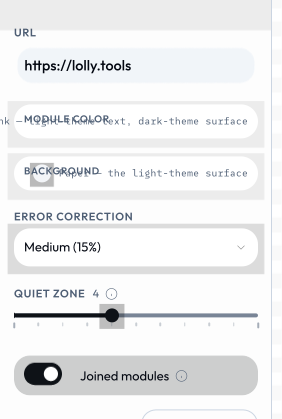
Every control below was generated from a declared input in tool.json. You write the manifest line, the host draws the widget, and the same model drives the CLI and the URL.
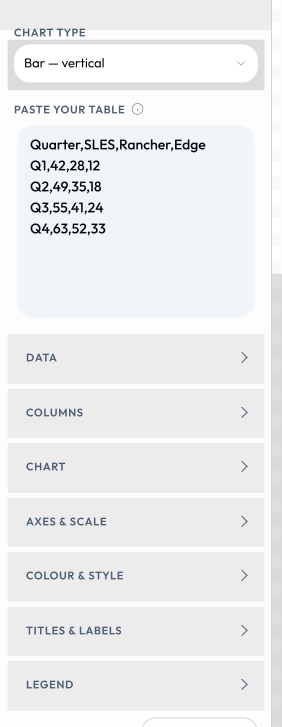
That scales further than five controls. Give an input a section and the host folds it away, so a fifty-input tool like the D3 Chart Studio still opens as a short stack with the rest filed behind named groups.
- Authoring Tools - the full guide: manifest, template, styles, hooks, composition, and publishing.
- Authoring Assets - catalog assets, tiers, locales, palettes, themable icons, and fonts.
- Host API - the
HostV1capability bridge every tool is written against (the only API tools see). - URL Mode - every input as a URL parameter; reserved params, compact encoding, packed links.
Run & integrate
- CLI - headless rendering; the same render path as the GUI, driven by
--foo=barargv. - TUI - the interactive terminal shell.
- MCP Server - the native endpoint that lets an AI agent discover and run tools.
- AI Agents - driving Lolly from a model: a URL is the API.
- Chrome Extension - capture a live URL as a reusable asset.
Ship & operate it
- Build Guide - build every target: CLI, TUI, desktop, mobile.
- Deployment - the web app, the apps, and the backend services; where each piece runs.
- Configuration - profiles, brand packs, capability gating, feature flags, and catalog validation.
Trust & data
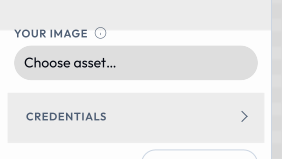
Rights and authorship are inputs like any other. Embed & Track Image declares creator, copyright, licence and contact fields, and the export writes them into the file's own metadata and its C2PA manifest.
- Content Credentials Identity - CA-issued signing for on-device C2PA; engine contracts and the operator runbook.
- Data Transfer - the
lolly-backupbundle: envelope, integrity, and cross-shell guarantees. - About - the project, its licence boundary, and the repository.