Production-ready files in seconds - design rules, layout logic, and export quality built in. No waiting, no guesswork.
Runs on your own device. Nothing to upload, nothing to learn, works offline.
Start with the design system tour. Add your style in and make your first files, or explore more below
Most people don’t want a design studio. They want one correct file, now - without breaking the brand, without waiting on someone, and without handing a private document to a website they’ve never heard of. Lolly exists to take those three frustrations away.
The quiet dread of picking the wrong colour or font and getting it wrong in public.
Every small asset stuck in a queue behind a busy designer, a slow tool, or one more approval.
Uploading sensitive files just to convert or crop them - and being stranded the moment you’re offline.
Select your role to see what Lolly does for you.
You need a quote card, an event tile, a localized signature - today, not next sprint. Lolly hands it back finished and on-brand, even if you've never opened a design tool. The rules live in the template, so the output comes out right.
You're on the road, the deck is wrong, the customer asked for something specific. Lolly turns any device into an asset studio - no designer, no wait, no excuses.
.pptx back, or open it as editable slides and fix it on the spot.Build your info-editorial style once, then generate publication-quality assets from live data as it happens.
Not everything is marketing. Consignment labels, badge runs, compliance one-pagers, incident notices - output where the layout is load-bearing and the data can't be wrong. Lolly treats structured content with the same rigour as elite design.
You design systems and solve problems, not one-offs. Lolly is the execution layer that turns your design decisions into tools your whole organization can use - without you in the loop for every asset.
Images are build artifacts. Treat them that way. Lolly runs from the CLI so you can generate assets the same way you generate everything else - repeatably, automatically, and as part of your workflow.
lolly qr-code --url=https://suse.com --output=og-qr.svg
lolly quotes --quote="Ship it." --output=quote.png
A URL with parameters is a few tokens. A creative brief plus image generation is thousands - and the result still isn't press-quality. Lolly gives your agent a deterministic, reviewable creative layer, ready for production.
Use Lolly to invite the team to KubeCon.
Parameters:
title: "KubeCon 2026"
date: "2026-11-10"
location: "Atlanta"
Output the file URL.
Every time someone uploads a file to a third-party service to "just make it look right," that's a data exfiltration event waiting to happen. Lolly eliminates the problem at the source - creative production stays on-device, on-premise, and under your control.
Rendering engine. production-quality. Zero lock-in.
The Lolly engine works to achieve the highest quality each format can produce - true vectors, outlined type, print-grade colour, native editable output.
No SaaS fees, no usage limits, no vendor dependency.
Web PWA, Mac, Linux, iOS, Android, CLI, terminal TUI - same engine, same output.
Local compute, local storage. No internet required after first sync.
Renders 27 export formats and ingests 25 source formats - see the full breakdown below.
Outlined type, Spot color support, 60FPS · Media fit for the studio.
A self-contained template.
Layout rules and style, waiting for data
Knows its own layout, type, colors, and brand rules. You bring the content - it handles everything else.
Authored once by someone who knows the brand. Everyone else just fills in the blanks.
Plain HTML, CSS, and JS. Version-controlled, diff-able, and reviewable like any other source file.
Open template.html in any browser - it just works. The tool is the app.
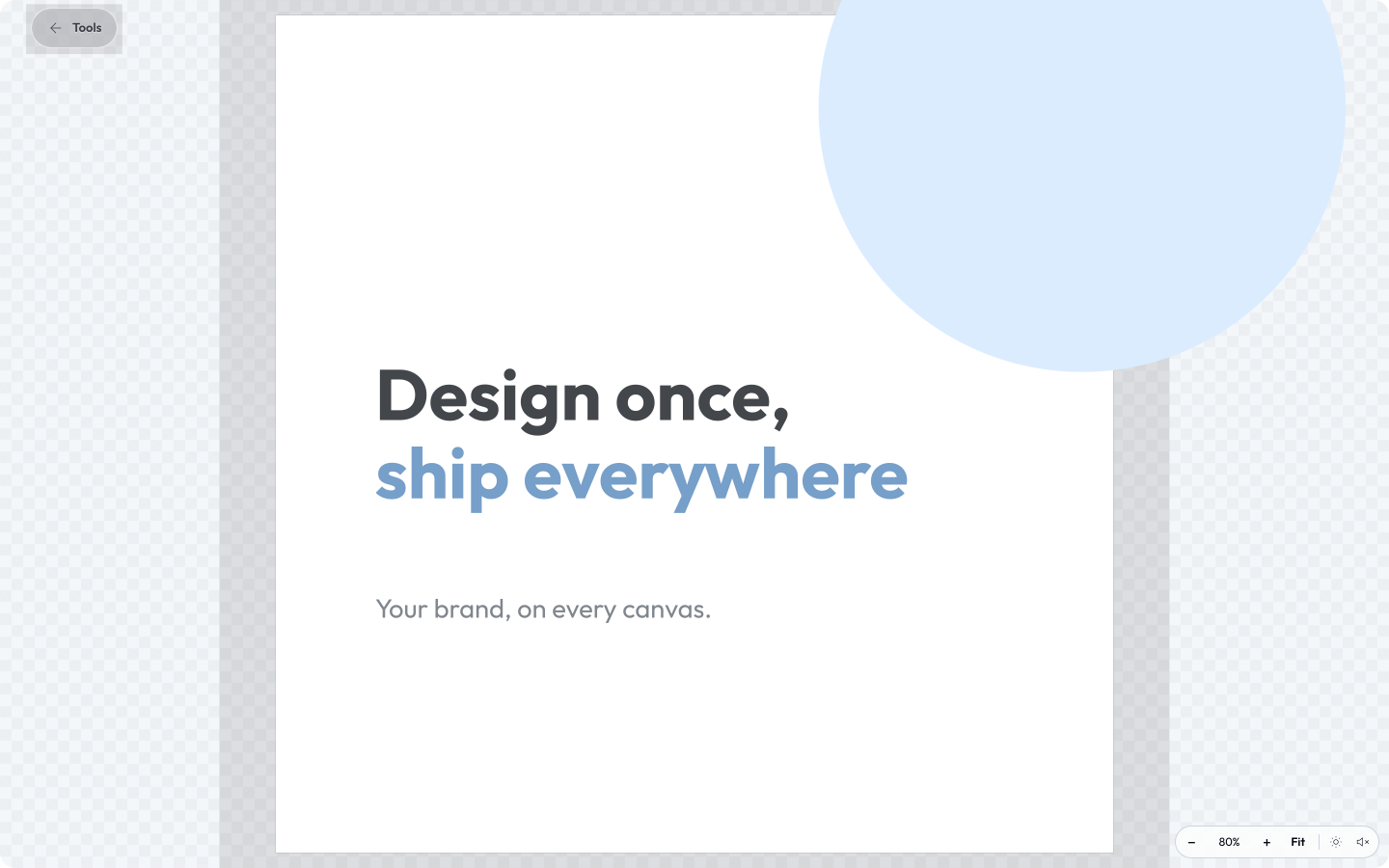
Some tools open as a direct-manipulation canvas - drag, rotate and snap boxes of text, shapes and images, exported through the same deterministic path.
Treat a tool like an image inside another tool - a badge that renders its own QR code, a card with a live chart - and keep the smarts intact: still live, still re-rendered, never a flattened picture.
To render to PNG, PDF, SVG, video, and more - use the Lolly platform.
Lolly reads 25 source formats and renders 27 - here's the full set, grouped by what each one is. Eleven round-trip: read and written, so they appear in both columns.
An interface that works the way you do - screen-reader friendly and fully keyboard-navigable throughout. Turn on gentle interface sounds, or switch to Neurospicy Mode: a calm focus beat that loops quietly while you work.
Keep saved work in nested Projects folders. When it's time to ship, render a whole folder - or any handful you select - into a single zip. No spreadsheet, no batch grid required.
Every image, PDF, or video you export can carry a Content Credential - a tamper-evident C2PA seal created entirely on your device. It proves the file hasn't changed since it left Lolly, and once you enrol an identity, records who signed it. Rasters also carry the invisible Lolly Imprint in the pixels themselves, on by default, so a copy can still be recognised even after the credential is stripped.
No cloud rendering, no telemetry, no analytics. What you make stays on your machine.
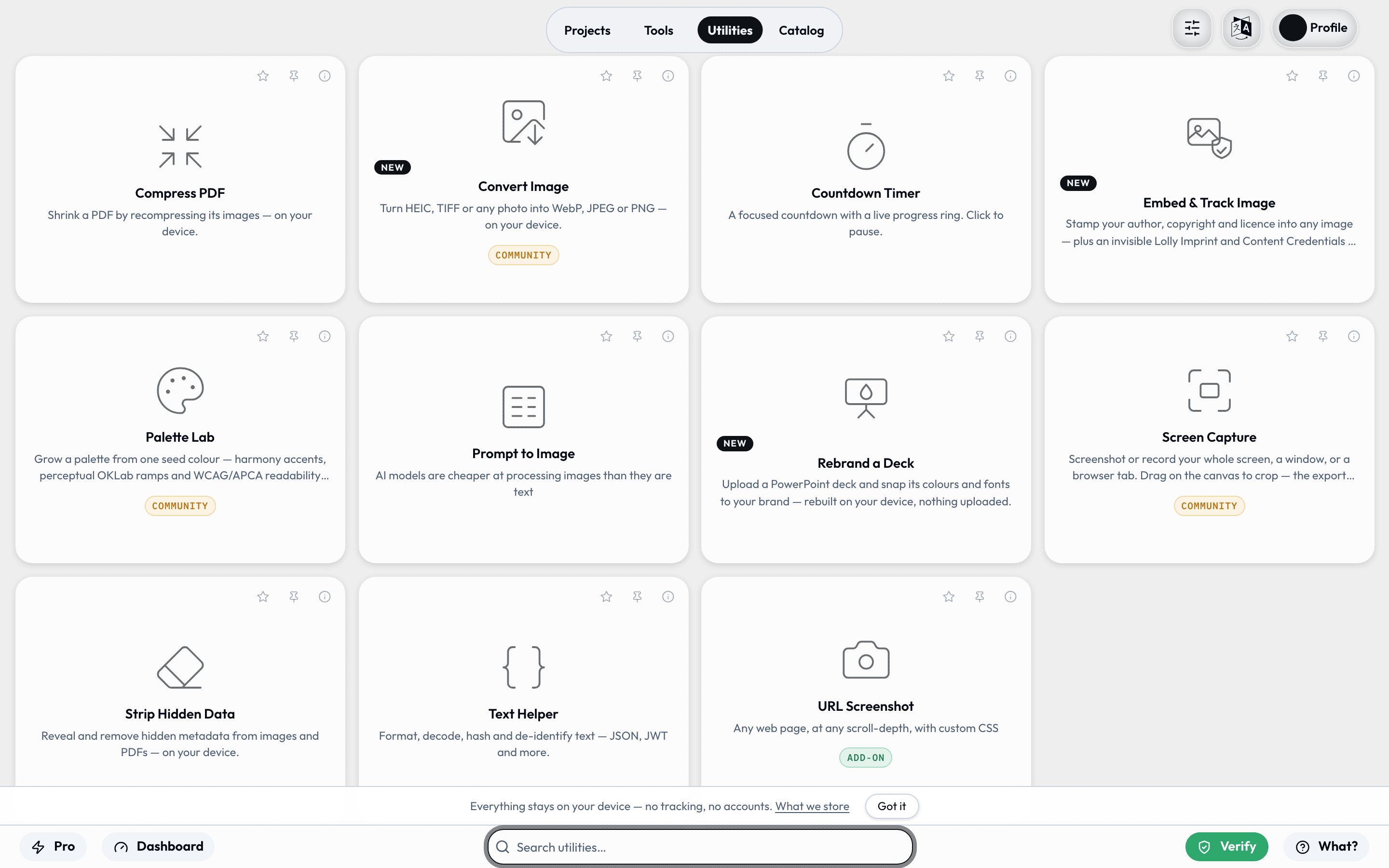
Strip Hidden Data removes EXIF and metadata locally. Lock a PDF, a download, or a share link with a password that never leaves your device.
No server, no database, no backend. Run entirely behind your firewall, fully offline.
Finished work in Figma, Penpot, Illustrator, InDesign or any SVG app doesn't have to stay locked in one app. Open Layout Studio, click Import a design, and the file opens as a living layout - not a flattened picture. Every layer becomes an editable box, ready to keep working on, mix with tools, and render through the same rules.
Figma, Penpot, Illustrator, InDesign or any SVG
Every layer a box you can retype, restyle and move
Drop in a QR code, a live chart or another render
SVG, PDF, PNG, video - reproducible from a URL
Text stays text, shapes stay shapes, images join your library. You keep working on the design - you never repaint a screenshot.
Fonts remap to your faces and every fill passes the same colour guard as a native box. A foreign artboard lands already governed.
Save it and the layout is a reusable, URL-addressable tool - one anyone with Lolly can open, refill and render. No design app required.
Run offline on your device, be always available hosted online, you decide.
Lolly Tools can work there.
Three modes of delivery:
Ship to devices through your existing MDM. Runs fully offline, behind any firewall or air-gap - nothing leaves the device.
One hosted instance, used in any browser. Nothing to install - approved updates reach everyone the instant they ship.
Offline local apps plus an always-current web version, sharing one tool library - across every OS at once.
We are a coalition of passionate designers, developers, marketers, and IT operations experts. Manual work, expensive ugly software, and anything that slows us down day to day is the only adversary.
They're adorable Australian animals who cause no harm to their environment. In a world of predators looking for your data, money, or time - give them none and thrive.
Quoll-tea. Koala-ty. Quo'lity. We are obsessed with quality. Studio-quality media. When evaluating tools and platform improvements we ask: Is it good enough to make everything?
The more the platform is used, the more we improve the core engine - and the more time, money, and frustration we collectively save. Open source means anyone can build, audit, improve, and deploy Lolly. That's a better deal for everyone.
The things people ask most.
When you first use Lolly, everything you type anywhere is fully private until you deliberately want that information out there via media or a share link (if online).
With the opt-in selected, we embed some of your profile information as provenance into assets and bundles to identify you as the source.
Lolly produces a large volume of content. We take a strict data minimization approach to prevent risk.
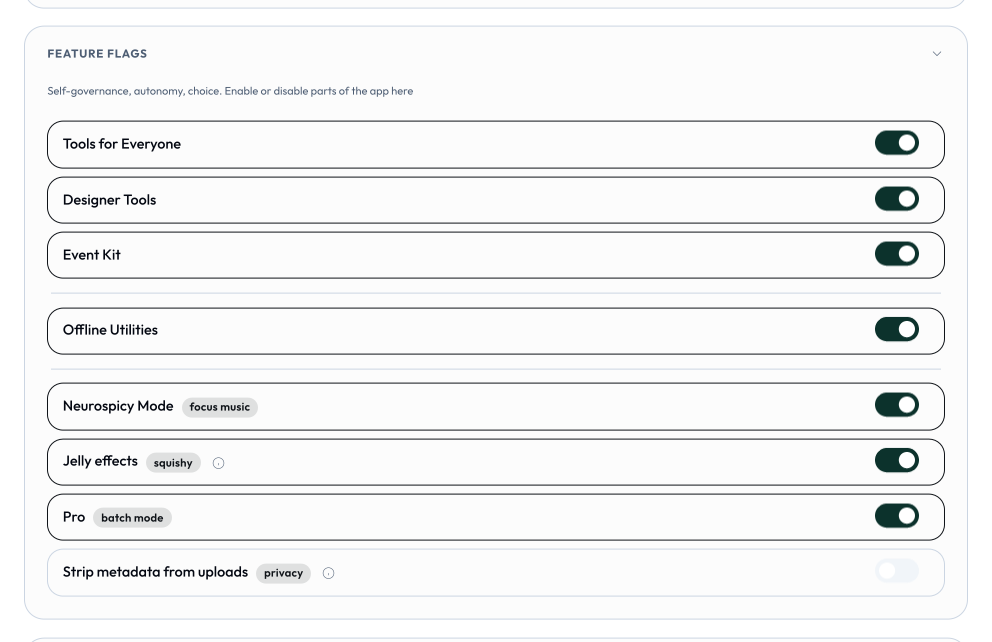
Feature flags turn parts of Lolly on or off. Usually an administrator controls these - with Lolly, you are in control.
Anybody can distribute their own apps, the tools and configuration of those apps should vary widely depending on what audience it's intended for. So there's no one app unless you made it or someone relevant gives it to you.
Lolly Because freedom is sweet. Tools are inactive when not being used. Not spying on you, running secret programs, Put it to work, your orders, actions, and terms.
Lolly is an Australian, New Zealand, British term for 'sweets' or 'candy'. Just like lollies, tools are very tasty for people needing them.
We're also laughing at the time and bills we are saving with this approach.
Lolly slots in wherever you already generate files - the CLI is the same engine as the App, so a pipeline run at 2am can't drift from what a person previews in a browser. The friction to adoption is rarely technical; it's organisational. Expect these:
A curated brand catalog has to be authored. Lolly is a platform, not a finished pack of your templates. For a governed rollout, someone defines the shared asset catalog (logos, palettes, fonts as permanent IDs) and writes the manifest + template for each output type. Individuals don't have to wait for that, though - in the open app anyone can ingest their own files into the catalogue and build tools in Layout Studio from day one.
Governance-by-git is optional - and unfamiliar to non-engineers. If you run a shared, controlled catalog, "the PR review is the moderation" is elegant for engineers and unfamiliar to most brand and marketing teams. If the people who own brand decisions don't live in git, you'll want a workflow that bridges them - or IT quietly becomes the strategic design partner and wider institutional gatekeeper (preferred by many in long-running production environments). Teams that don't want this simply skip it.
It's deliberately narrow - frame it that way. Lolly is not for bespoke or hero content. It is your personal DAM - hydrated and supercharged by your design system, tools and catalog - and it does have an open canvas (Layout Studio), but even there colours, type and assets conform to the active design globals, so free arrangement stays inside the system. Judged against Figma or Canva it will look limited. Judged as what it is - operationalised, recurring, massive-scale asset generation - nothing competes. The wrong framing is the most common set-back.
Change management on the producing side. Existing processes work today, even if the output is off-brand. Re-pointing them at the engine means re-testing re-learning, and "we can already makes files" becomes the excuse not to migrate. Start by converting one high-visibility production quality output and showing the before/after side by side.
Lolly lifts everything up.
Basic Answer → Utilities dont alawys need to render and therefore can get a different UX.
Real Answer → The reason utilities are hostable inside Lolly Tools is to add yet-another 'convenience layer' of defence to disincentivise data-exfiltration.
Why? Because it is known that every day, people take confidential content they already have and hand it to a random website to perform one small mechanical operation:
These sites and their massive clone long-tail are not trustworthy by default with unknown retention, unknown jurisdictions, unknown subprocessors, and an ad/affiliate business model that has every incentive to keep what you give them. The operation is trivial; the content is the cost.
We win the war for governance with excellent conveinece and service.

Yes. Open Layout Studio and click Import a design: it accepts a native Figma .fig (Save local copy), a Penpot .penpot export, an Illustrator .ai or .pdf, an InDesign .idml (File → Export → InDesign Markup), or any SVG (the wide door - almost any design app exports it). Everything is parsed entirely on your device, no account or plugin needed.
Layers arrive as editable boxes on the open canvas: text stays retypable, shapes stay shapes, images join your on-device library, and type and colours conform to the brand globals. Save it and the layout becomes a reusable, URL-addressable template anyone with Lolly can refill - and you can mix in live tools (a QR code, a chart) that re-render on load. From there it renders like anything else in Lolly - SVG, PDF, PNG and the rest, reproducible from its URL. See Import a design.
Yes - two ways, both on your device. The Rebrand a Deck utility takes a .pptx and swaps its theme, hardcoded colours and fonts to your brand while charts, SmartArt and animations pass through untouched - you get a .pptx back. Or open the deck in Deck Builder (Load → drop the file) to edit it slide by slide as freeform objects, already snapped to brand, and export PPTX, PDF or video. Dropping a .pptx on an upload area instead files the slides you choose as SVG assets in your library. See Import a design → Decks and documents.
The SUSE-branded tools leave the project, and new generic example tools defined by the user take over.
SUSE will operate its own Lolly to protect its trademarks.
SUSE's trademarks and branded tools are for demonstration only, until August 29. You can find an unbranded instance of Lolly at lolly.ART.
SUSE is an enterprise open source infrastructure company with more than three decades of platform leadership. Its products include enterprise-tier Linux, Cloud Native, Edge, and AI infrastructure solutions.
From SUSE's perspective, this is about walking the talk on sovereignty and security. As of today, the likelihood SUSE productizes Lolly is near absolute zero.
Full disclosure: SUSE is building out internal tooling to integrate Lolly within its IT systems - that's about SUSE's internal set-up, not public vs. private development.
Speaking of the public side, Lolly aims to be built through Open Build Service, with secure supply-chain artifacts delivered by the SUSE Application Collection.
We'll build as much as we can in the open - you just won't see SUSE-branded tools for long, nor SUSE's internal workforce and commercial processes, which are unrelated to Lolly.
Some say Lime, others say Mint and sometimes Apple, Lolly brings the sweetness, you make the flavour happen!